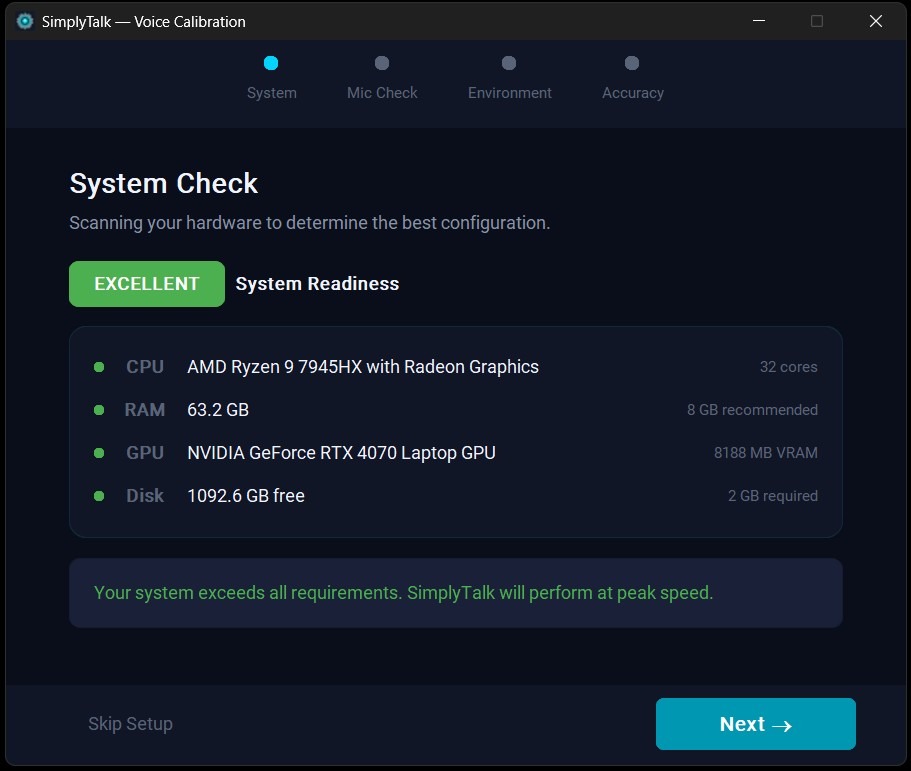
Know Your System is Ready Before You Start
SimplyTalk includes a guided calibration wizard that walks you through a multi-step setup process. It scans your CPU, RAM, GPU, and disk space to confirm your hardware meets requirements. Then it checks your microphone input, tests your environment for background noise, and runs a live accuracy check. You will know exactly how SimplyTalk will perform on your machine before you dictate a single word.
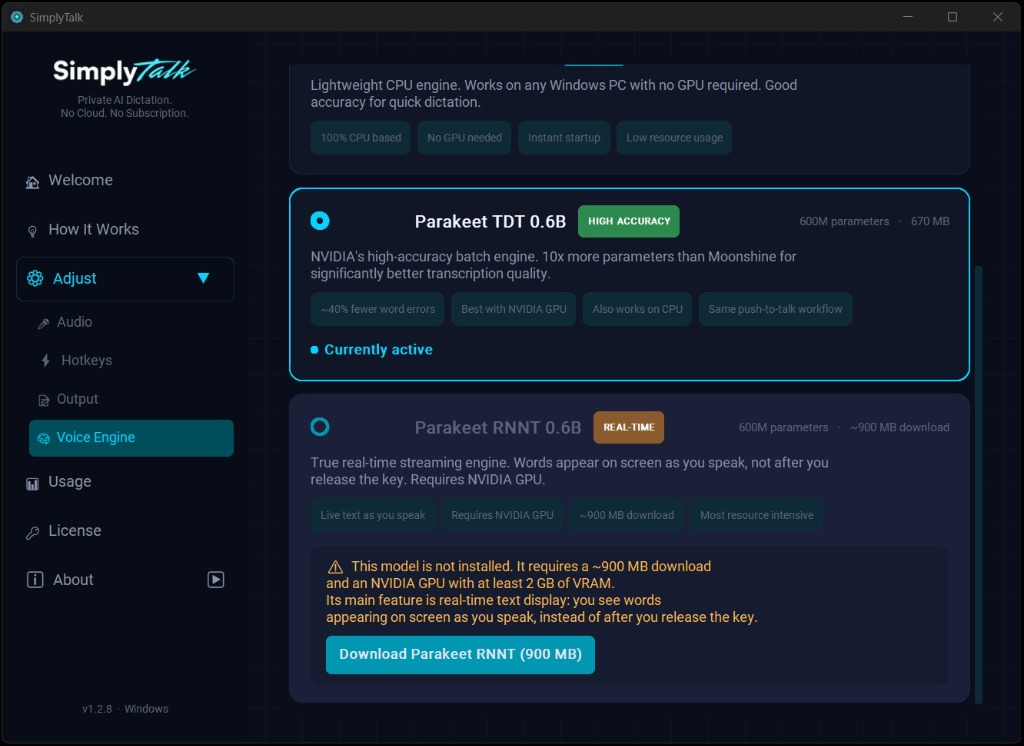
Three AI Models. You Pick the One That Fits.
SimplyTalk ships with Moonshine, a lightweight CPU-based engine that works on any Windows PC with no GPU required. The default is NVIDIA Parakeet TDT 0.6B, a high-accuracy batch engine with 600 million parameters and roughly 40% fewer word errors. For professionals who want to see words appear as they speak, the optional Parakeet RNNT 0.6B model delivers true real-time streaming transcription, powered by your NVIDIA GPU.
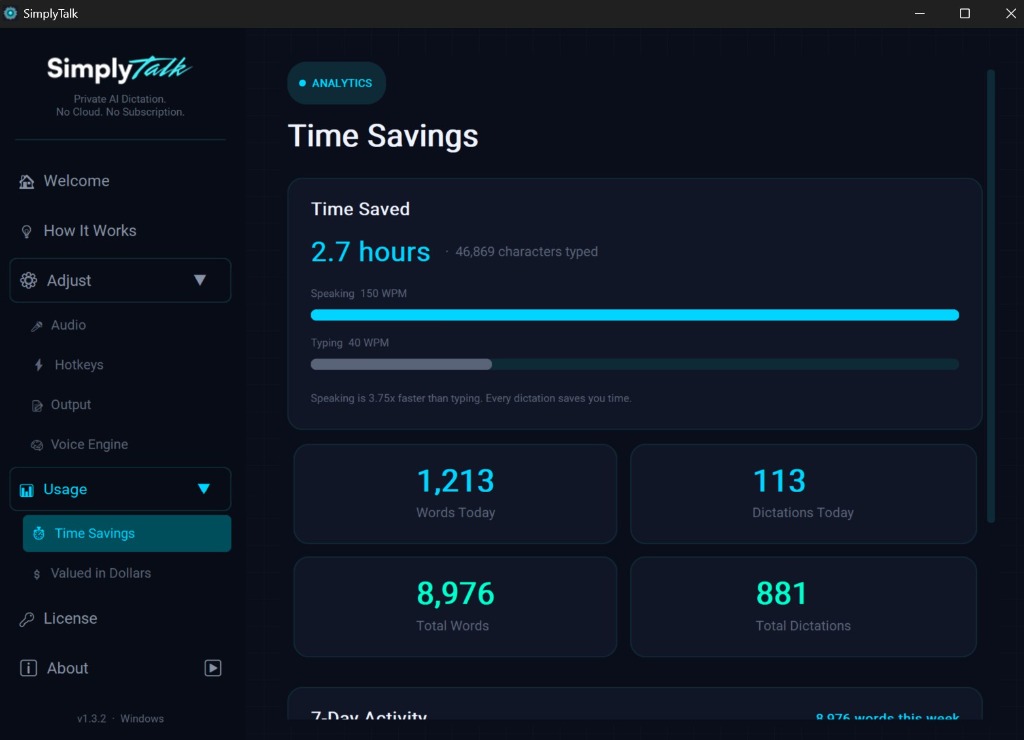
See Exactly How Much Time You Are Saving
The built-in analytics dashboard tracks your dictation activity and calculates how much time you have saved compared to typing. It compares your speaking speed against average typing speed and shows the difference in hours. View your words spoken, dictation count, and daily activity alongside a running total that grows every time you use SimplyTalk. From daily snapshots to weekly trends, the data is always there.
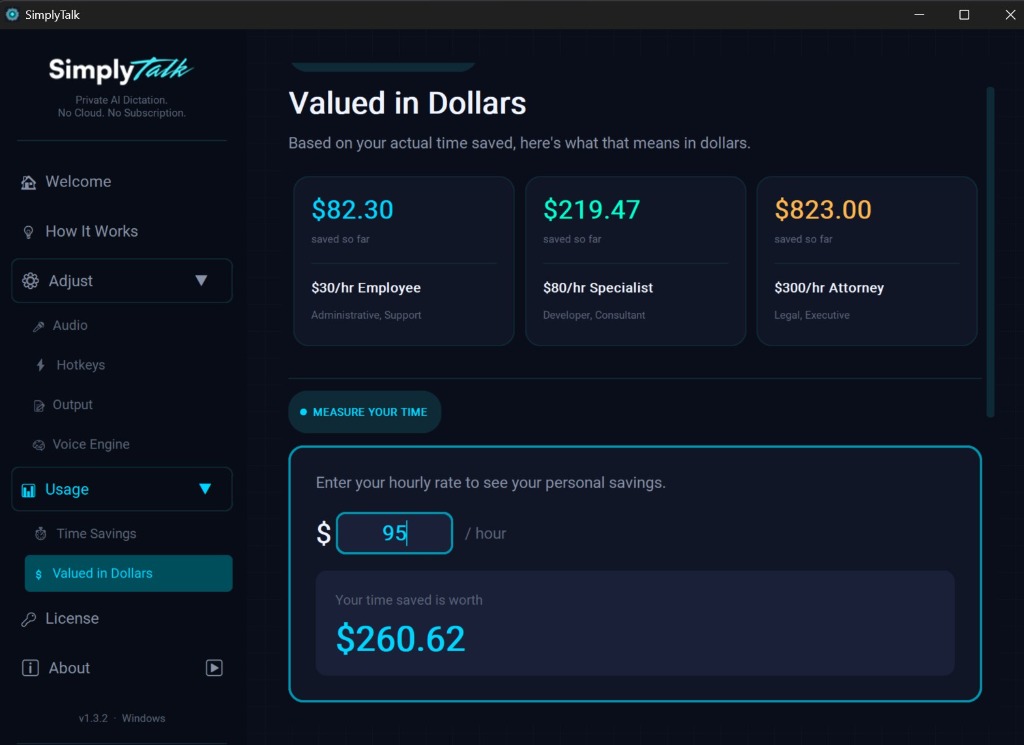
Your Time Saved, Translated into Dollars
SimplyTalk takes your usage data and converts it into real dollar figures. See pre-calculated savings at $30/hr, $80/hr, and $300/hr benchmarks across administrative, specialist, and legal roles. Want a number specific to you? Enter your own hourly rate and the calculator shows your personal savings in real time. It is a concrete way to see the value dictation adds to your day, updated every time you dictate.